
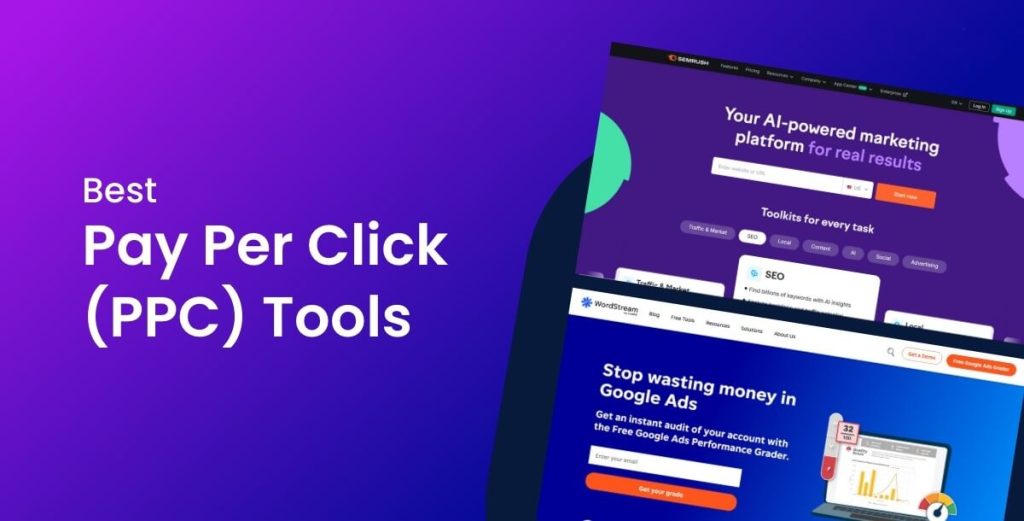
Pay-per-click (PPC) advertising can scale fast — for better or worse. The right PPC tool saves hours, lowers cost-per-click (CPC), improves conversion rate, and boosts return on ad spend (ROAS). The wrong one wastes budget and complicates workflows.
We compared 5 PPC tools across features, pricing, automation, reporting, and suitability by business type. Below you’ll find a detailed, unbiased guide showing which tool is the best for your budget and campaign goals.
What to look for in a PPC tool
Choosing a PPC platform isn’t just about price. Look for tools that improve key performance indicators (KPIs) and fit your workflows.
Core features to evaluate
Keyword research & intent analysis — search volume, keyword difficulty, long-tail suggestions, negative keywords.
Competitor analysis — spying on rivals’ ad copy, landing pages, bid estimates, and historical spend.
Bid management & automation — rules, scripts, portfolio bidding, smart bidding integrations with Google Ads.
Campaign optimisation & recommendations — alerts, quality score improvements, ad testing suggestions.
Reporting & dashboards — custom reports, scheduled exports, multi-channel attribution.
Integrations — Google Ads, Microsoft Ads, Meta Ads, Google Analytics, Shopify, CRM tools.
Ease of use & onboarding — learning curve, templates, guided recommendations.
Pricing & trials — transparent tiers, limits on managed accounts or keywords, free trials.
Key terms: Quality Score, conversion tracking, remarketing, dynamic search ads, responsive search ads, shopping ads, display network, audience targeting, CPA, ROAS, A/B testing, landing page optimisation.
The 5 PPC tools we compared
We looked at these tools for a range of budgets and user experience levels:
Semrush PPC Toolkit — research + competitive intelligence powerhouse.
SpyFu — budget-friendly competitor research & keyword history.
Optmyzr — advanced automation and workflow tools for pros.
WordStream Advisor — beginner-friendly, recommendation-driven platform.
Google Ads Keyword Planner — free, essential keyword data source.
(Note: Depending on your region and ad mix, AdEspresso, Ahrefs Ads, Kenshoo/Skai, or Marin might also be relevant. We focused on tools that cover a broad range of budgets and use cases.)
Side-by-side comparison
| Tool | Best for | Monthly cost (typical) | Strengths | Weaknesses |
|---|---|---|---|---|
| Semrush PPC Toolkit | Agencies, advanced marketers | Mid → High | Deep competitive intel, ad copy + PLA research, keyword gap analysis | It can be pricey for small advertisers |
| SpyFu | Small businesses, freelancers | Low → Mid | Historical competitor data, unlimited search | Simpler UI, fewer automation features |
| Optmyzr | Agencies, large advertisers | High | Powerful automation, scripts, bulk actions | Expensive for solo operators |
| WordStream Advisor | SMEs, beginners | Mid | Guided optimisations, easy onboarding | Pricing model tied to ad spend, limited advanced features |
| Google Keyword Planner | Beginners, zero budget | Free | Accurate Google search volume, integration with Google Ads | No automation, limited competitor insights |
Tool #1: Semrush PPC Toolkit
Who it’s for: agencies and experienced advertisers who need research + competitor insights.
What it does well
Competitor ad copy spying and historical ad history.
Keyword gap and competitor PLA (Product Listing Ad) analysis — useful for e-commerce.
Rich reporting features and multi-channel keyword grouping.
Where it falls short
Higher price tiers may be overkill for very small advertisers.
Steeper learning curve if you’re only managing 1–2 small campaigns.
When to pick Semrush
You run multiple accounts or ecommerce campaigns and need competitive intelligence and content-level insights that feed strategy (ad copy + landing page ideas).
Key terms included: competitive analysis, ad copy analysis, keyword gap, PLA research, and search intent.
Tool #2: SpyFu
Who it’s for: small businesses, consultants, freelancers who need fast competitor insights at a lower cost.
What it does well
Historical PPC data — see competitors’ past keywords, ad spend estimates, and ad copy.
Affordable plans with unlimited searches depending on the tier.
Good for PPC keyword research and negative keyword discovery.
Where it falls short
UI can feel less modern.
Not as robust for automated bid management or multi-client reporting.
When to pick SpyFu
You need budget-friendly competitor research and keyword discovery without advanced automation.
Key terms: historical ad data, competitor keywords, negative keyword list, and affordable PPC tools.
Tool #3: Optmyzr
Who it’s for: medium to large advertisers and agencies that want advanced automation and bulk operations.
What it does well
Advanced scripts, rule-based automation, and one-click optimisations at scale.
Customizable reports and account health checks.
Tools for bid strategies, pause/enable recommendations, and anomaly detection.
Where it falls short
Cost is higher and aimed at organisations that manage significant ad spend.
Overkill if you only have a single small Google Ads account.
When to pick Optmyzr
You manage many accounts or large ad budgets and want to save time with automated workflows and bulk edits.
Key entities: bid management, anomaly detection, bulk optimisation, account automation, PPC scripts.
Tool #4: WordStream Advisor
Who it’s for: SMBs and advertisers who prefer guided help and simplified optimisation.
What it does well
Actionable recommendations tailored to ad budget and industry.
Easy-to-understand dashboards and suggestions for ad copy and landing page improvements.
Good for teams without dedicated PPC specialists.
Where it falls short
It can feel expensive relative to value if your monthly ad spend is very low.
Less suitable for heavy automation or enterprise reporting.
When to pick WordStream
You’re a small business owner, marketing manager, or agency handling SMB clients who need straightforward guidance.
Related terms: guided recommendations, account optimisation, small business PPC, landing page suggestions.
Tool #5: Google Ads Keyword Planner (Free)
Who it’s for: beginners and advertisers on a zero budget.
What it does well
Free access to search volume, trends, and keyword forecasting directly from Google.
Integrates seamlessly with Google Ads campaigns for quick keyword import.
Best source for accurate Google search volume and bid estimates.
Where it falls short
No ad copy analysis or competitor spying.
Doesn’t offer automation, campaign optimisation, or cross-channel reporting.
When to pick Google Keyword Planner
You’re starting, testing keyword ideas, or want a free baselining tool.
Key terms: search volume, forecast, keyword planner, Google Ads integration, free PPC tools.
Best PPC tool by budget — decision guide
Below are practical recommendations based on the monthly budget and business type.
For $0 (Free Budget)
Pick: Google Ads Keyword Planner
Why: It gives accurate Google search data, helps build a starter keyword list, and integrates with Google Ads for campaigns. Combine with Google Analytics and free reporting to measure conversions.
For under $50/month
Pick: SpyFu
Why: SpyFu is value-packed for competitor research, keyword discovery, and ad copy inspiration. Great for freelancers and small businesses.
For $100–$250/month
Pick: Semrush PPC Toolkit (entry tiers) or WordStream Advisor
Why: At this price range, you get advanced research, reporting, and some automation features. Semrush gives deeper competitive insight; WordStream gives guided optimisation.
For $500+/month
Pick: Optmyzr or full Semrush/enterprise plans
Why: At scale, automation, bulk edits, and agency-grade reporting pay for themselves. Optmyzr’s scripts and bidding tools save time and reduce CPA.
How to choose the final winner for your setup
Ask these questions to make a decisive pick:
What’s your monthly ad spend?
Small spend → lighter, cheaper tools; high spend → automation and enterprise features matter more.Do you need competitor intel or automation?
If research and ad copy strategy are crucial, use Semrush or SpyFu. If automation saves hours: Optmyzr.How many accounts or channels do you manage?
Multiple clients → choose tools with multi-account dashboards and reporting.What internal skills do you have?
No PPC specialist → WordStream’s guidance helps. Experienced teams → Optmyzr for power users.What’s your optimisation focus?
Conversion rate & landing pages → tools that suggest ad copy and landing improvements. ROAS improvements → bid management and attribution features.
Bonus: Quick checklist before you subscribe
Confirm the tool integrates with Google Ads and your analytics stack (GA4 or Universal Analytics).
Trial the tool with a test account or use the free trial — validate reporting and recommendations against your own account.
Check limits: number of managed accounts, keywords, or monthly queries.
Look for onboarding support or dedicated customer success if you run multiple clients.
Key phrases: GA4 integration, attribution modelling, conversion tracking, ROAS optimisation, CPA targets.
Conclusion — the overall winner
There’s no single “best” PPC tool for everyone. But if we must name an overall winner by budget and versatility:
Best for beginners/zero budget: Google Ads Keyword Planner.
Best value for small teams/freelancers: SpyFu.
Best for research-led strategies & ecommerce: Semrush PPC Toolkit.
Best for scaling & automation (agencies): Optmyzr.
Best for simple, guided optimisation: WordStream Advisor.
Pick the tool that matches your monthly ad spend, technical skill, and the scale of campaigns you run. A smart combo — for example, pairing Google Keyword Planner + SpyFu for research, then adding Optmyzr when you scale — often gives the best ROI.
Ready to find the best PPC tool for your exact budget and goals? I can audit one of your campaigns and recommend the optimal toolset (free mini audit included).
Contact us on WhatsApp +234 809 079 9474 — or reply here, and I’ll walk you through a tailored recommendation.
FAQs
Which PPC tool gives the best competitor data?
Semrush and SpyFu lead in competitor analysis. Semrush offers richer multi-channel insights; SpyFu is more budget-friendly for historical data.
Can I use Keyword Planner instead of paid tools?
Yes — Keyword Planner is excellent for keyword discovery and forecasting. But it lacks competitor analysis and automation features.
Do these tools improve Quality Score?
Indirectly. Tools that optimise keywords, ad relevance, and landing pages help improve Quality Score by aligning search intent, ad copy, and landing content.
What’s the most important KPI to track in PPC?
It depends on goals — CPA (cost per acquisition) for direct response, ROAS for ecommerce, and lifetime value (LTV) for subscription businesses.